The way I browse the Internet on my laptop is different then browsing it on my phone. I often open tabs with pages ‘to check later’ on a device that is not crippled (I prefer to use laptop) but in many places I only have only phone with me - so after I gather some tabs - I then share them to my email/whatsapp/whatever and then open them on laptop.
… and no - I do not want to ‘Sign In’ into Firefox as things (and tabs) I do on a laptop are entirely different then the ones on the phone.
Yeah I’m sure this is a rare use case - just sending them over to the desktop straight away via sync is way faster. I also browse differently on my phone than on my desktop, but I don’t see how linking the devices hampers that in any way.
(In fact, I don’t think it “syncs” tabs in the first place, as in, makes sure you have the same tabs open on both devices? It just makes a list of tabs on your other devices available, and allows you to manually send individual tabs.)
Sending the tab to the desktop Firefox via sync instead of keeping it open actually perfectly fits your use-case. Seeing as that’s exactly what you’re doing, only manually.
things (and tabs) I do on a laptop are entirely different then the ones on the phone.
Nothing changes from normal usage when tab syncing is enabled, except that the list of tabs opened on the phone is available in a special tab on the desktop, and vice versa. Only explicitly sent tabs are opened on the other device.


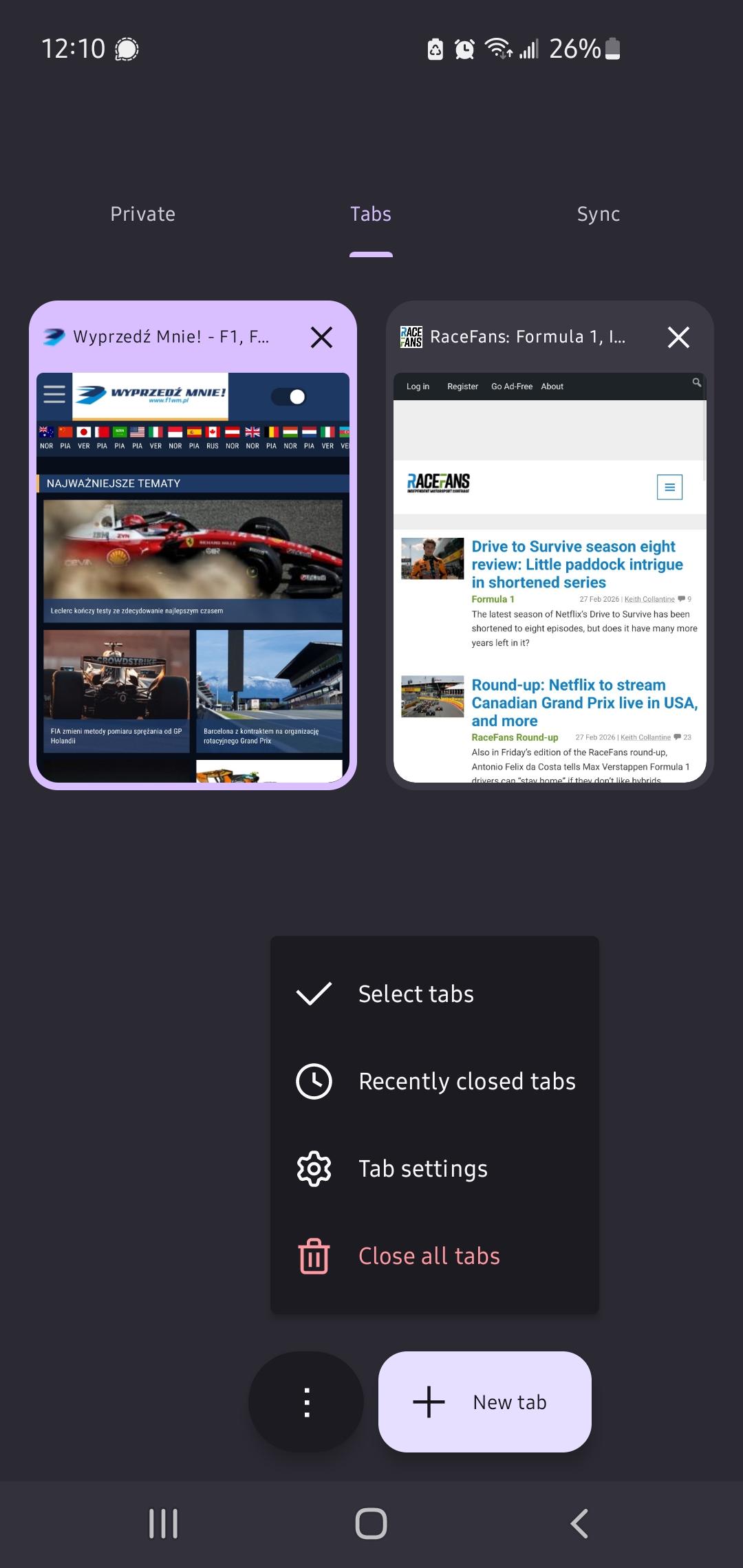
Unrelatedly curious- what did you use “select all tabs” for?
@Cris_Citrus
The way I browse the Internet on my laptop is different then browsing it on my phone. I often open tabs with pages ‘to check later’ on a device that is not crippled (I prefer to use laptop) but in many places I only have only phone with me - so after I gather some tabs - I then share them to my email/whatsapp/whatever and then open them on laptop.
… and no - I do not want to ‘Sign In’ into Firefox as things (and tabs) I do on a laptop are entirely different then the ones on the phone.
If you use firefox sync you can set it to not sync tabs by default, only send tabs when you want, which would fit you usecase.
Yeah I’m sure this is a rare use case - just sending them over to the desktop straight away via sync is way faster. I also browse differently on my phone than on my desktop, but I don’t see how linking the devices hampers that in any way.
(In fact, I don’t think it “syncs” tabs in the first place, as in, makes sure you have the same tabs open on both devices? It just makes a list of tabs on your other devices available, and allows you to manually send individual tabs.)
Super interesting use case, that makes sense. I can see why it’d be frustrating to loose that functionality given how you liked using it
Sending the tab to the desktop Firefox via sync instead of keeping it open actually perfectly fits your use-case. Seeing as that’s exactly what you’re doing, only manually.
Nothing changes from normal usage when tab syncing is enabled, except that the list of tabs opened on the phone is available in a special tab on the desktop, and vice versa. Only explicitly sent tabs are opened on the other device.
I would probably use it to select all my current tabs and put them in a Stash, because Firefox doesn’t have tab grouping yet.
Firefox could also just add a “Select All” menu item in its selection screen, which is also something else Chrome and its derivatives already have.