First week: https://piefed.social/c/linux4noobs/p/1977063/i-m-nearing-my-first-full-time-week-on-linux
I thought I was going to write that my second week on Linux was rather boring because I had everything set up and was just working doing everyday tasks.
That was until Friday where I decided it was time to do a distro upgrade (I use openSUSE Tumbleweed, which is a rolling distro). That did not go well. It made me question my distro choice and I even considered hopping to Debian, because it’s stable AF (or so I heard), boring (old packages), widely supported (basically all software has a an official .deb package) and has a large community and multiple resources online. At first I thought I wouldn’t like packages that are a couple years old, but it seems that my whole stack is there, so I wouldn’t notice. Meanwhile, on Tumbleweed I have issues here and there because it’s not as mainstream and is bleeding edge. For the time being, I will migrate to Slowroll soon.
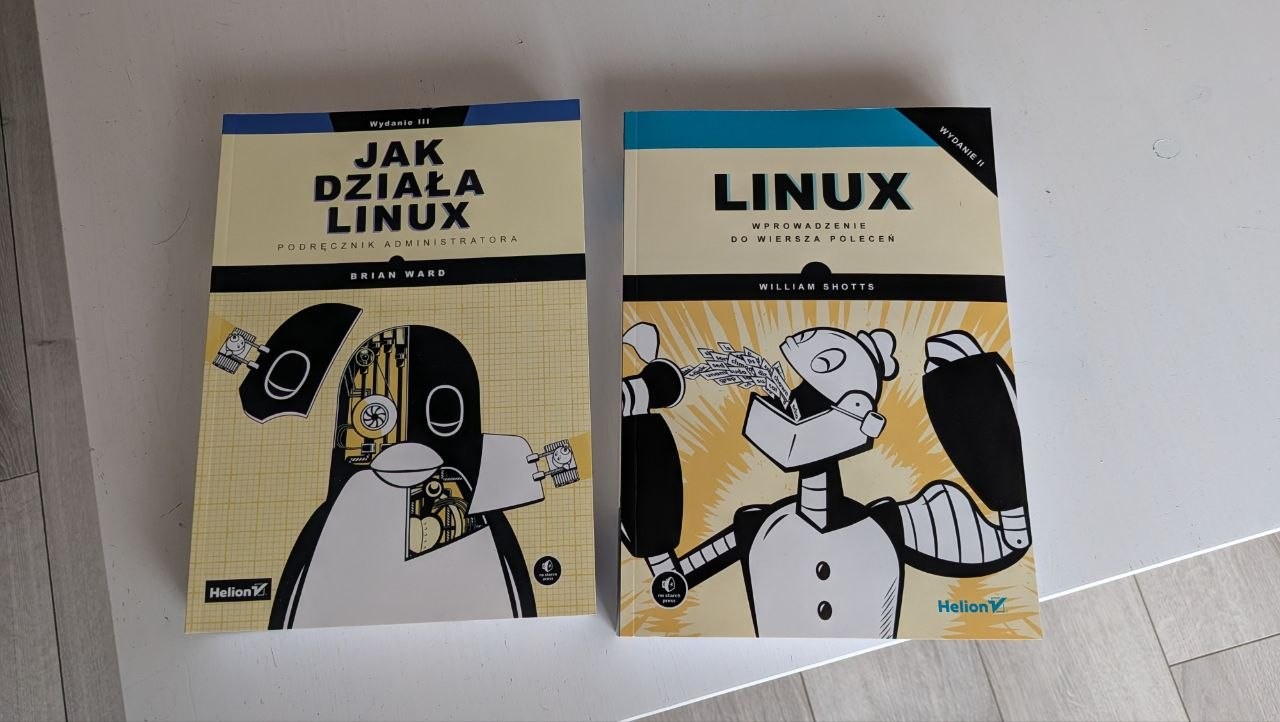
I bought a couple books about Linux, started reading the first one.
I have a project to move my Google Drive, OneDrive and Google Photos somewhere else. Nextcloud seems like the best solution, but I also like Immich as a replacement for Google Photos. That made me think about self-hosting. The Hetzner Storage Share looks nice because it’s a cheap, managed Nextcloud, but not having access to the database feels like vendor lock-in and a possible friction point in the future, so I am thinking of renting a VPS. I also have a pretty beefy old PC at home, but it’s currently damaged (I think either the motherboard or the PSU is dead, I didn’t diagnose yet).
How linux works is a great book! Halfway through it right now. I set up immich a while back and as far as I can tell, its almost identical to google photos, and unless you have like a terabyte of photos doesnt need a lot of proccesing power (it will take a while for its first scan, but after that it uses barely anything)
I’ll vouch for most books out of No Starch Press.
I’m not sure how difficult OpenSuse rollbacks are.
I know setting up Snapper to snapshot takes a few extra steps/maintance.
I can say: Aurora, Project Bluefin and Bazzite are all based on Atomic Fedora.
I run more bleeding edge with
Bazzite-Testing, Fedora Atomic OS-Tree update and rollback system is really nifty for if you find yourself being weary of “updates” like on OpenSuse.I’ve only ever had to rebase/rollback/pin certain images for troubleshooting situations once in ~3 years of use. (dam Qualcomm/Antheros Wi-Fi 7 drivers).
And for the most part is just set and forget. I don’t even bother manually updating things anymore. Chromebook-easy.
I know Jorge has a LTS of Bluefin.
And also an Alpha
bootcimage of GnomeOS.I’m not sure how difficult OpenSuse rollbacks are.
They are actually very easy. Check the list of snapshots and note the one from before you screwed up, reboot, select the snapshot from which you want to launch the system, test, if it’s OK run
sudo snapper rollbackand reboot. I use LUKS / TPM with auto-unlock, so I need to reenroll the keyI know setting up Snapper to snapshot takes a few extra steps/maintance.
In openSUSE it’s set up out of the box, that was one of the reasons behind my choice of this distro.
Debian
Or Devuan or AntiX.
:)
I also have a pretty beefy old PC at home, but it’s currently damaged (I think either the motherboard or the PSU is dead, I didn’t diagnose yet).
Same
Though mine’s been dormant for so long, it wont be so beefy in a couple years.
[Edit, PS:
Week 1 was a good read too.
&
How long before you’re trying tiling window managers?
]
How long before you’re trying tiling window managers?
I never felt the appeal. My understanding is that all windows must be on the screen all the time (but maybe some window managers support workspaces?) and I don’t like that. I like to have my web browser windows big, same as my IDE. I have 34’’ 1440p monitor and it’s too small for me to fit all the windows :)
Tiling and almost all have workspaces as a big feature, also I recently switched to niri, as I don’t like vaxry for obv reasons, and it seems to have all the benefits of a tiling wm, but you have infinite space as it scrolls to the right infinitely
In most tiling window managers I have both tabbing and fullscreen. Which in my use, tends be fullscreen most of the time. Switching workspaces with a keybind’s instant, contrast to the faff of alt-tabbing or moving windows around with the mouse. It’s just one more thing to get out of the way of brain ideas coming to fruition. ;)
Can always have windows floating/stacked in most tiling window managers too.
Still going strong?
I switched to Debian a few days ago :D I am thinking of posting in this sub again but wanted to give it a few more days. But yes, still using Linux daily.